
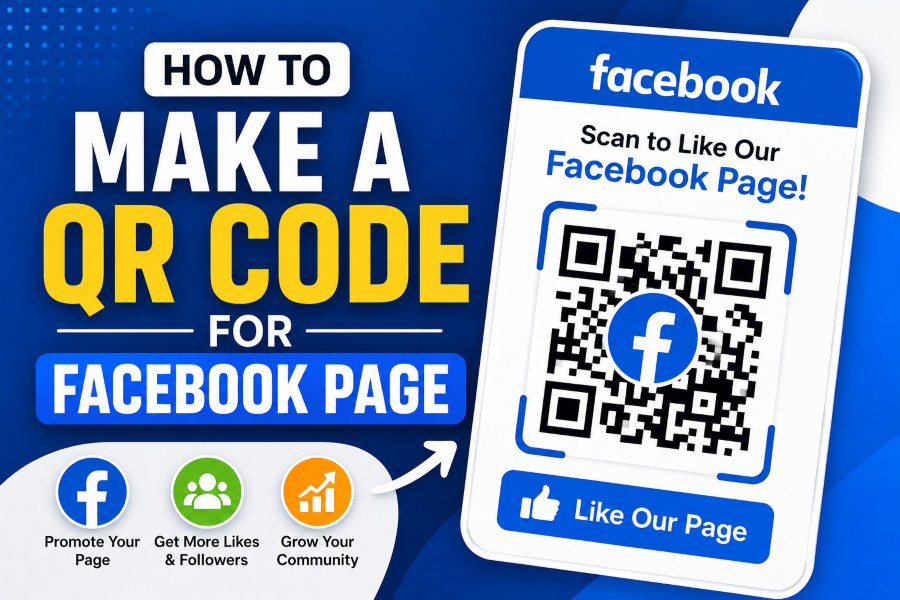
If you are looking to learn how to make a QR code for Facebook page, you’ve come to the right place. QR codes are an innovative tool that allow businesses and creators to instantly connect offline audiences with their Facebook presence. By scanning a simple code, users can access your page, like your content, or start messaging you, improving engagement and simplifying promotion for events, flyers, or printed materials.
Creating a QR code is not only easy but also highly effective for social media marketing. With the right approach, you can integrate this feature into your campaigns to attract more followers and increase interaction. This guide will walk you through every step, including design customization, tracking, and embedding your QR code seamlessly into marketing materials for optimal results.
Why QR Codes Are Essential for Your Facebook Page
QR codes have revolutionized how users connect with businesses online, making them a must-have for every Facebook page. By using a QR code, you reduce the friction between offline promotion and online engagement, allowing customers to quickly visit your page or start a conversation. Studies show that campaigns using QR codes achieve higher click-through rates than traditional URL-based campaigns.
The primary advantage of QR codes is their versatility; you can place them on posters, brochures, business cards, or even event tickets, ensuring your audience always has a direct path to your page. Many businesses combine this with a personalized design, incorporating logos, brand colors, and custom frames to increase recognition and scan rates. Well-designed code can dramatically improve the user experience and ensure your content stands out.
Furthermore, QR codes can also be tracked, giving you real-time analytics on how often your code is scanned, where, and on which devices. This insight allows for smarter marketing decisions and better optimization of future campaigns. For example, using tools that allow you to view social media content the simple way makes it simple to generate and manage QR codes efficiently, providing a high-quality, professional touch to your marketing efforts.
Step-by-Step Guide to Creating Your QR Code
Creating a QR code for your Facebook page is straightforward and only takes a few minutes. First, identify the URL or direct link you want the QR code to point to, whether it is your page, a specific post, or your Messenger chat. Choosing a stable and permanent URL ensures the code remains functional over time, even as your content evolves.
Next, use a reliable QR code generator that allows customization, tracking, and high-quality downloads. When designing the code, focus on visual elements like colors and logos to maintain brand consistency. Avoid overcrowding the QR code with too many elements, as this can affect scanning accuracy, particularly on mobile devices.
Once generated, test the QR code on multiple devices to confirm it works correctly and links precisely to the intended Facebook page. Strategically integrate the code into printed materials or digital campaigns. Make sure it is visible and accompanied by a clear call to action to encourage users to scan immediately. Following these steps ensures your code is both functional and visually appealing, enhancing user interaction with your page.
Best Practices for QR Code Design
Proper design is crucial to maximizing the effectiveness of your QR code. Keep the code simple, using contrasting colors that are easy for scanners to read, such as dark codes on light backgrounds. Avoid using excessive design elements that may interfere with recognition and ensure the code size is large enough to be scanned from a distance.
Subtly incorporate your brand logo or icon at the center of the QR code to increase trust and brand awareness. However, ensure the logo does not obscure the critical pattern, which could render the code unreadable. A balanced design maintains aesthetic appeal without compromising functionality, making it more likely users will engage.
You should also consider where the code will appear. Placement on business cards, flyers, or posters should allow sufficient white space around the QR code. This improves scanning performance and makes the code visually prominent. Experiment with different placements and test scans in various lighting conditions to ensure optimal performance. Properly designed QR codes enhance both branding and usability for your Facebook page.
Customizing QR Codes for Engagement
Customizing your QR code can make it more appealing and increase scan rates significantly. Use brand colors, rounded corners, and frames to distinguish your code from generic black-and-white designs. This personalization creates a professional look and encourages users to interact with it more confidently.
Consider adding a call-to-action near your QR code, such as “Scan to like our Facebook page” or “Scan for exclusive content,” which informs users of the benefit. This subtle prompt can drastically improve engagement rates, especially when combined with eye-catching visual elements.
Analytics and tracking are equally important when customizing QR codes. Knowing how often the code is scanned, where, and on which devices helps you refine marketing strategies. You can also rotate the destination links or use dynamic QR codes to keep content fresh and continuously engaging. Using this approach ensures every scan contributes meaningfully to your business goals.
Integrating QR Codes Into Marketing Materials
Integrating QR codes into marketing materials effectively requires strategic planning. Flyers, brochures, business cards, posters, and even event tickets are excellent offline mediums to display your code. The placement should ensure visibility and accessibility, making it easy for users to scan without obstruction.
High-quality printing is essential, as low-resolution codes may fail to scan. Consider testing printed materials in various lighting and angles to ensure consistent readability. QR codes can also be embedded digitally in emails, social media posts, and online campaigns, expanding their reach.
When integrated thoughtfully, QR codes bridge the gap between offline marketing efforts and online engagement. They provide a seamless pathway for users to interact with your Facebook page, boosting likes, follows, and engagement organically. Strategic placement maximizes exposure and ensures every impression counts toward building your audience.
Using QR Codes for Event Promotions
Events are an ideal scenario for leveraging QR codes to increase engagement. Place codes on event tickets, registration sheets, or promotional materials, allowing attendees to quickly access your Facebook page for event updates. This method streamlines communication and encourages attendees to engage with your page before, during, and after the event.
Incorporate clear instructions on how to scan the code to avoid confusion, particularly for audiences less familiar with QR technology. Real-time tracking helps monitor engagement during events, offering insights into audience behavior. The data gathered can be used to improve future campaigns, making QR codes a powerful tool for live event promotion and ongoing audience engagement.
Tracking QR Code Performance
Monitoring QR code performance is vital for assessing campaign effectiveness. Many generators offer analytics dashboards displaying scan counts, locations, devices, and timeframes. This insight allows marketers to make data-driven decisions, optimizing placement and design based on actual user behavior.
Dynamic QR codes provide additional flexibility, enabling changes to the destination link without regenerating the code. This ensures campaigns remain relevant and adaptable. Consistently analyzing performance metrics ensures your Facebook page engagement grows steadily and every marketing effort yields measurable results.
Avoiding Common QR Code Mistakes
Several pitfalls can reduce the effectiveness of QR codes if not addressed. Using low-contrast colors, overly intricate designs, or placing codes too small for scanning can frustrate users and decrease engagement. Always maintain adequate white space and test the code under various conditions.
Do not rely solely on QR codes for traffic; they should complement other marketing channels. Pair them with strong calls-to-action, concise messaging, and integration into broader campaigns. Avoid broken or outdated links, and always verify functionality to maintain trust with your audience. Proper attention to these details ensures your QR codes consistently drive traffic to your Facebook page.
Advanced Tips for Marketers
Marketers can enhance QR code campaigns by leveraging additional features. Consider dynamic QR codes to track engagement trends and update destinations. This allows for A/B testing of landing pages, content, and messaging to maximize conversions.
Combine QR codes with offers, discounts, or exclusive content to incentivize scanning. Using multiple designs for different locations or audiences can also improve reach and engagement. When strategically deployed, QR codes become a high-performance tool that integrates seamlessly into both offline and online marketing strategies.
Leveraging Social Media Insights
Using insights from your Facebook page can improve QR code campaigns. Understand peak engagement times, popular posts, and audience demographics. This information guides where and when to deploy QR codes for maximum impact.
Additionally, combining QR codes with Facebook Ads and promotions ensures a comprehensive marketing approach. Real-time analytics helps refine both code placement and content strategy, ensuring every scan contributes meaningfully.
Optimizing QR Codes for Mobile Devices
Since most users scan QR codes using smartphones, optimizing for mobile is crucial. Ensure landing pages are mobile-responsive and load quickly to reduce bounce rates. Mobile-friendly designs keep users engaged and encourage them to take the desired actions.
Test the QR code with different devices and QR scanners to confirm compatibility. Integrate features like click-to-call, Messenger chat, or social sharing to maximize engagement on mobile platforms. By focusing on mobile optimization, you make your Facebook page easily accessible and enhance overall user experience.
Incorporating QR Codes Into E-commerce
QR codes can drive sales by linking customers directly from physical products or packaging to your Facebook page. Display the code on product labels, unboxing inserts, or shipping boxes to encourage engagement and reviews. This method bridges offline purchasing with online community building.
E-commerce stores benefit from tracking which products or campaigns generate the most scans. Insights gained inform marketing and inventory strategies. Using these codes as part of your omnichannel approach enhances the customer journey while boosting Facebook page visibility and interaction.
Combining QR Codes With Content Marketing
Integrating QR codes into content marketing campaigns amplifies reach and engagement. Include codes in blogs, newsletters, or print publications to direct readers seamlessly to your Facebook page. This approach enhances user experience by providing instant access to related content or promotions.
Pair QR codes with incentives like downloadable resources, exclusive videos, or contests to further motivate scanning. Consistent branding and high-quality visuals ensure the QR code complements the overall campaign message. This strategy strengthens your content marketing while growing your Facebook community organically.
Scaling QR Code Campaigns
Scaling QR code campaigns requires careful planning and monitoring. Use dynamic QR codes to manage multiple campaigns simultaneously without creating new codes for each initiative. This enables efficient testing and tracking of different strategies across locations and audiences.
Leverage analytics to identify high-performing campaigns and replicate their success in other regions or markets. Combining QR codes with other marketing channels, such as email or social media, ensures your Facebook page engagement continues to grow as campaigns expand.
Integrating QR Codes Into Email Marketing
Emails with embedded QR codes can significantly boost user engagement. Add a QR code linking to your Facebook page at the bottom of newsletters or promotional emails to encourage readers to follow your page. This strategy complements email marketing efforts by providing a direct, actionable step for recipients.
Tracking scans from email campaigns helps identify which content resonates most with your audience. By analyzing these metrics, you can optimize future campaigns for higher engagement. Integrating QR codes into email marketing reinforces cross-channel promotion and drives traffic to your Facebook page effectively.
Conclusion
Learning how to make a QR code for a Facebook page is essential for modern marketers seeking to enhance engagement and streamline user interaction. QR codes provide a bridge between offline promotion and online engagement, making it easier for users to access your page, like your posts, or start messaging. By following best practices in design, placement, and analytics, you can ensure your QR codes are both functional and effective.
Proper customization, mobile optimization, and strategic integration into marketing campaigns amplify the impact of QR codes. Regularly monitoring performance and avoiding common mistakes ensures maximum ROI while maintaining a positive user experience. Ultimately, incorporating QR codes into your marketing toolkit strengthens your Facebook presence, increases interaction, and drives measurable results for your business.